.svg)





Editor's note: This piece was originally published in August 2026 and updated in October 2026 to reflect the latest industry news and benchmark data.
According to a 2026 study conducted by FTI Consulting & Relativity, 87% of general counsel now report using generative AI within their teams, up from 44% a year earlier, covering use cases from legal research to contract review.
Legal AI assistants are generative AI tools designed specifically for legal work, but not every product marketed as "legal AI" is built for the rigorous standards in-house counsel work demands.
In this post, we'll cover what a legal AI assistant is, what separates one from a general tool, the in-house use cases they handle best, the risks worth watching, and the top assistants to evaluate in 2026.
Stop reading 40-page agreements line by line. Book a demo to see LegalOn summarize your contracts in seconds.
In this post:
What makes a good AI legal assistant?
What can you use a legal assistant AI for?
Best legal AI assistants, reviewed
Benefits of using AI for legal assistance
Risks of using AI for legal assistance
FAQs about AI legal assistants
What is a legal AI assistant?
A legal AI assistant is software that uses artificial intelligence to answer legal questions, draft and revise contract language, summarize documents, extract key terms, and flag risk.
The best legal AI assistants ground their reasoning in attorney-vetted standards, providing an output that only requires a lawyer’s final approval.
What do lawyers use AI assistance for? Lawyers can use AI to ask about a clause, request a summary, or draft fallback language, but the level of comfort varies.
In The General Counsel Report, FTI Consulting & Relativity found that legal teams are most comfortable using AI for summarizing contracts or legal documents (83%), identifying contract clauses (63%), transcribing audio and video (53%), analyzing foreign documents (40%), and conducting first-pass contract review (37%).
First-pass review is a legal team’s biggest opportunity for AI assistance, since it’s the single highest-volume task and the most manually taxing.
→ Related Article: The Best AI Contract Review Software
Can you use a general AI tool for legal AI assistance?
Yes, legal teams often use general AI as a first step toward AI assistance in their workday.
With the right legal ChatGPT prompts, for instance, you can explain a concept or rough out a first contract draft. Claude can handle the same low-stakes work well, as it now comes with premade legal plugins in Claude Cowork for Legal.
The problem is that a general model reasons from broad training data. It can state a wrong answer with complete confidence and generally has no concept of privilege.
According to the Stanford Institute for Human-Centered AI, general-purpose models hallucinate on 69 to 88% of specific legal queries, inventing cases and fabricating quotes.
Damien Charlotin, a legal researcher who teaches legal data analysis at HEC Paris, has documented more than 2,100 court cases involving AI-fabricated citations as of October 2026, a count his public database updates daily.
In-house teams rarely file briefs in court themselves, but they rely on case law to advise the business and oversee litigation.
Unlike general AI, a dedicated legal AI assistant reasons from legal standards a practicing attorney has vetted, checks its citations, and works inside Microsoft Word, your browser, or your contract repository.
→ Related Article: The Problem With Generic AI in Legal Work
What makes a good AI legal assistant?
A good legal AI assistant is built by practicing attorneys, shows its reasoning, works where you work, and respects confidentiality.
Built by practicing attorneys

LegalOn is an example of legal AI built by lawyers. Every piece of legal content in LegalOn, from its 135+ full playbooks to 10K+ issues, is vetted and updated by practicing attorneys.
When evaluating tools, ask who wrote the underlying content. Lawyers should create and maintain the legal standards the tool applies; it shouldn’t rely on the model itself to generate legal reasoning on the spot.
It shows its work
A strong legal AI assistant tells you why it flagged a clause or suggested a redline, and points to the standard it applied. A general model returns a fluent answer with no way to trace where it came from, which is the pattern behind the rise in AI-related sanctions against attorneys.
It lives in your tools
The work should happen in Word, your browser, and your repository. A good assistant meets you where you are instead of forcing you into a separate chat window, disconnected from the document you're actually editing.
An example of a legal AI assistant with integrations is LegalOn, which works with Microsoft Word, Slack, SharePoint, and other tools.
It's built for confidential work
Legal work deals with privileged and highly sensitive material. Insist on SOC 2 Type II certification, GDPR and CCPA compliance; and a written policy that your data is never used to train the underlying model.
What can you use a legal assistant AI for?
The best way to use a legal AI assistant is to take routine work off your team's plate, such as contract review, summarization, drafting, key-term extraction, matter management, and self-serve legal requests.
Contract review and redlining

An attorney-vetted legal AI assistant can read a full agreement against your standards and flag non-standard or missing terms. It can propose redlines grounded in your preferred positions, which would’ve previously taken an entire afternoon.
With an assistant, you can process one review at a time. Dedicated AI contract review software handles this at volume and keeps every reviewer flagging the same issues the same way.
Contract Q&A and summarization
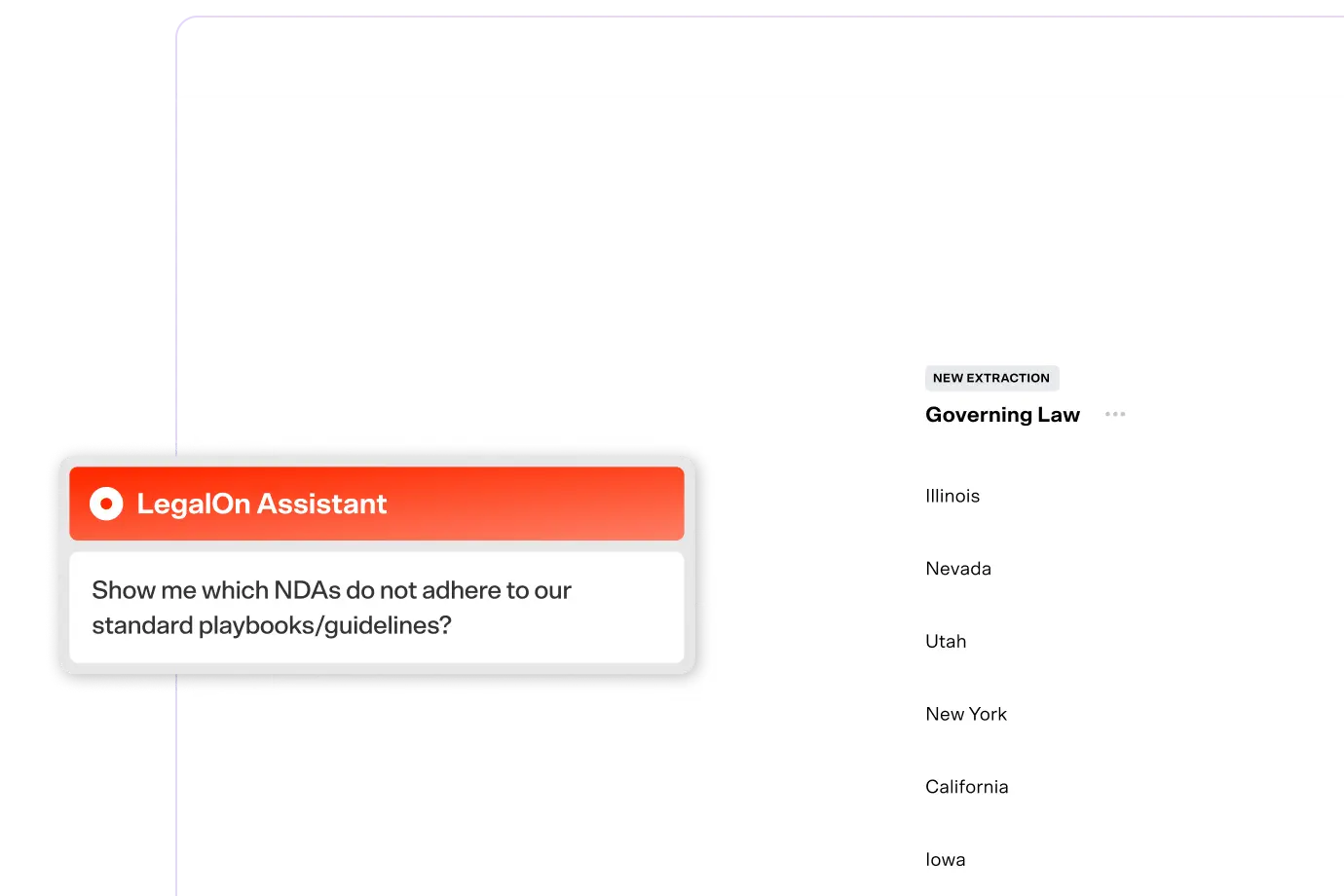
Use a legal AI assistant to answer a question about a single contract, or across your whole repository, instead of searching document by document. A good assistant points back to the source language so you can verify the answer.
It can also compress a 40-page agreement into the handful of obligations, deadlines, and risks a business stakeholder actually needs, so you spend less time translating contracts for the rest of the company.
Fallback and clause drafting
A legal AI assistant can help you generate draft clauses and fallback language mid-negotiation, grounded in your organization's preferred positions and playbooks.
Every draft still lands with a lawyer to review and send, but the blank-page work is done, which keeps a negotiation moving.
Key term and obligation extraction
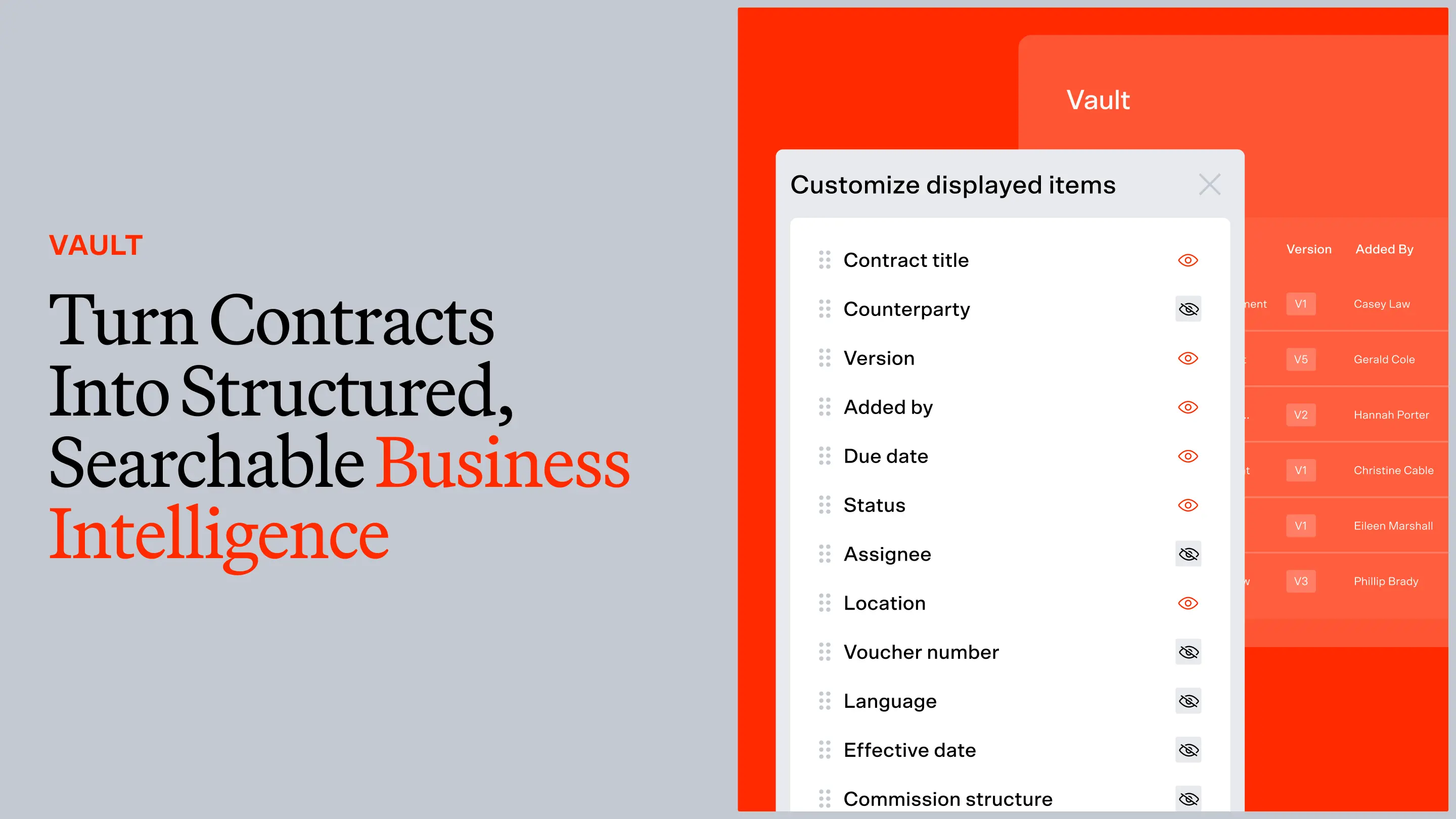
An assistant can pull renewal dates, liability caps, counterparty obligations, and other key terms for you, delivering them in structured summaries.
At scale, that turns a repository of PDFs into data you can act on, so a renewal never slips past its deadline because no one reread the contract in time.
Matter management and intake triage
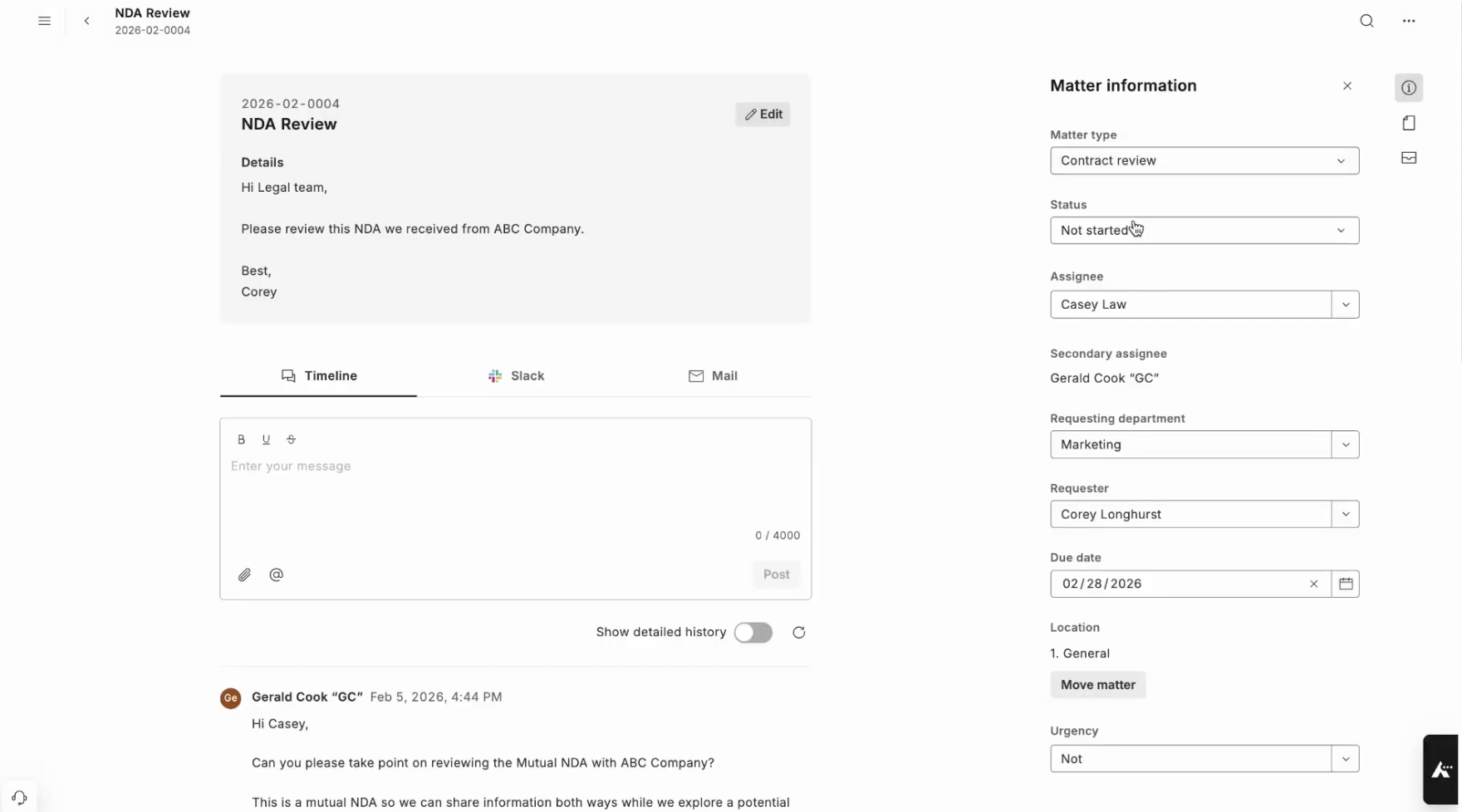
The best assistants connect to the rest of the legal workday, routing incoming requests to the right reviewer with the right context already attached.
When an AI assistant ties every generated answer back to matter management, nothing gets lost in an unstructured inbox, and every question, document, and decision stays linked to the matter it belongs to.
→ Related Article: Best Legal Matter Management Software for In-House Teams
Self-serve answers for business teams
An assistant can let procurement, sales, and other departments get quick answers to common contract questions without opening a ticket.
That deflects the routine questions and frees your lawyers to focus on higher-risk work, while keeping every answer consistent with your standards.
Best legal AI assistants, reviewed
The best legal AI assistants cover contract review and redlining, Q&A and drafting, and matter management, ideally in the same platform or with an add-on. Below are our top picks for in-house legal teams.
1. LegalOn: Best legal AI assistant for the entire in-house legal workday

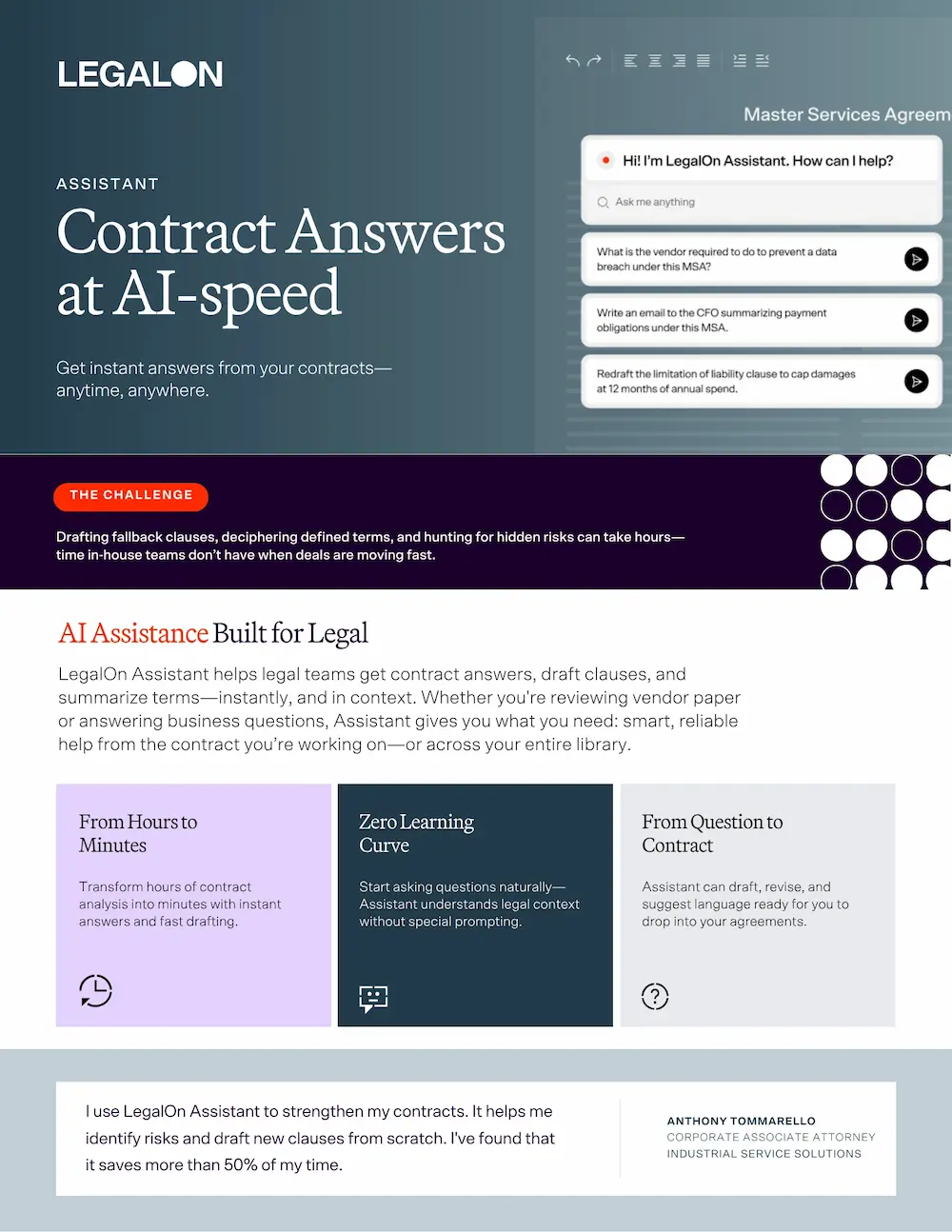
LegalOn Assistant is part of LegalOn, the legal AI platform for the full legal workday. The assistant answers questions, drafts fallback language, and summarizes key terms directly inside the contract you’re working on, in Word or the browser.
Using LegalOn Assistant, you can ask about a single agreement or query your whole repository to see how different contracts treat the same issue. Its drafting also adapts to the deal type, counterparty, or scenario in front of you while basing every answer on your precedents and playbooks.
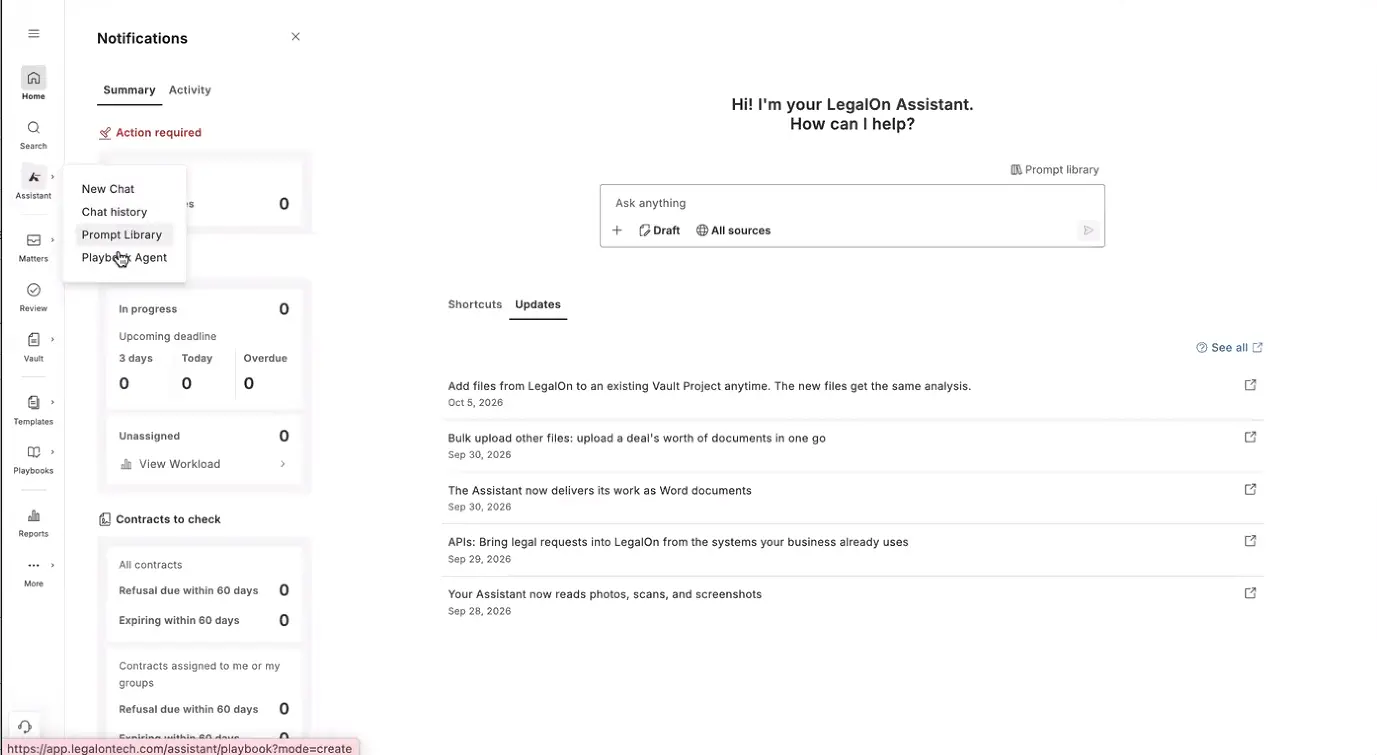
Every question, matter, and contract works off 135+ pre-built, attorney-vetted playbooks, plus any custom playbooks you create.
Because those playbooks are shared, an answer from the assistant, a redline in Review, and a standard saved in Team Knowledge reflect the same positions. LegalOn keeps every area of legal work connected while being lighter to implement than contract lifecycle management (CLM) tools or enterprise legal operating systems.
LegalOn handles every routine task in an in-house team’s workday. The legal AI assistant provides a convenient chat-based interface for one-off questions and ad hoc tasks, and you also have access to contract review and redlining, matter intake and tracking, a searchable contract repository, team knowledge, and agentic workflows on the same platform.
You install LegalOn and can begin asking questions to its legal AI assistant on Day 1.

Features
- Always-on legal AI assistant for contract Q&A, summarization, and fallback drafting inside Word and your browser
- AI contract review and redlining against 10,000+ pre-built legal issues across 135+ contract playbooks, each crafted by contract attorneys
- Matter management, team knowledge, and agentic workflows connect with LegalOn Assistant and run on the same rigorous legal standards
- Enterprise security: SOC 2 Type II, GDPR and CCPA compliance, and no training on your data
Pros
- Attorney-vetted intelligence: an answer from the assistant reflects the same standards as a full contract review
- Cuts contract review time by up to 85%, and 98% of customers see immediate time savings
- Trusted by 9,000+ organizations
- Gets you productive on Day 1 inside Word
Cons
- Built around in-house contracting work; a team that does heavy litigation research may still want a Westlaw- or Lexis-grounded tool alongside LegalOn
Pricing
- LegalOn provides a custom quote based on your team size.
- Book a demo for a quote.
2. Harvey: Best assistant for teams working with outside counsel
Harvey is most widely used by large law firms, where the majority of the AmLaw 100 run it for research, drafting, document review, and transactional due diligence. For in-house teams with enough budget, it could be a good choice.
Its Spaces feature lets an in-house team and its outside counsel work in the same secure environment on a shared matter, which pays off when the firms you work with already run on Harvey.
Using its Assistant, lawyers can work through complex legal questions, analyze and compare uploaded documents, and draft legal materials. It runs inside Word and Outlook, so the work happens where you already draft and correspond.
Features
- Firm-grade research, drafting, and document review
- Transactional due diligence across large matter volumes
- Used by over 3,500 law firms, such as A&O Shearman, Latham & Watkins, and O'Melveny
Pros
- Broad capability and scale for large-firm transactional and litigation work
- Established adoption across major Am Law firms
Cons
- Enterprise pricing puts it out of reach for most smaller in-house teams
- Built around firm economics more than in-house contract workflows
Pricing
- Contact Harvey for a quote.
3. CoCounsel Legal (Thomson Reuters): Best assistant for research and drafting grounded in Westlaw & Practical Law
CoCounsel Legal’s legal AI assistant grounds its research and analysis workflows on Westlaw and Practical Law. Its 2026 release adds matter-specific workspaces and Brief Builder for complex briefs and motions, with verifiable citations.
We recommend it for in-house legal teams due to its integration with Word, where its drafting agent can draft and revise agreements, drawing on Practical Law content alongside your own documents and playbooks.
Features
- Research, analysis, and drafting grounded in Westlaw and Practical Law
- Brief Builder for briefs and motions and built-in citation sourcing
- Matter-specific workspaces and a Microsoft Word add-in
Pros
- Strong citation accuracy and research depth for litigation-heavy work
- Reasoning grounded in authoritative Thomson Reuters content
Cons
- Less oriented toward day-to-day contract workflow and in-house matter tracking
- Requires other Thomson Reuters subscriptions
Pricing
- Starts at $637/mo for 1 Law Firm seat, and $1,779/mo for 1 Business seat; pricing varies depending on sector, number of attorneys, jurisdiction, and plan duration.
4. Lexis+ with Protégé (LexisNexis):Best assistant for building reusable agentic skills
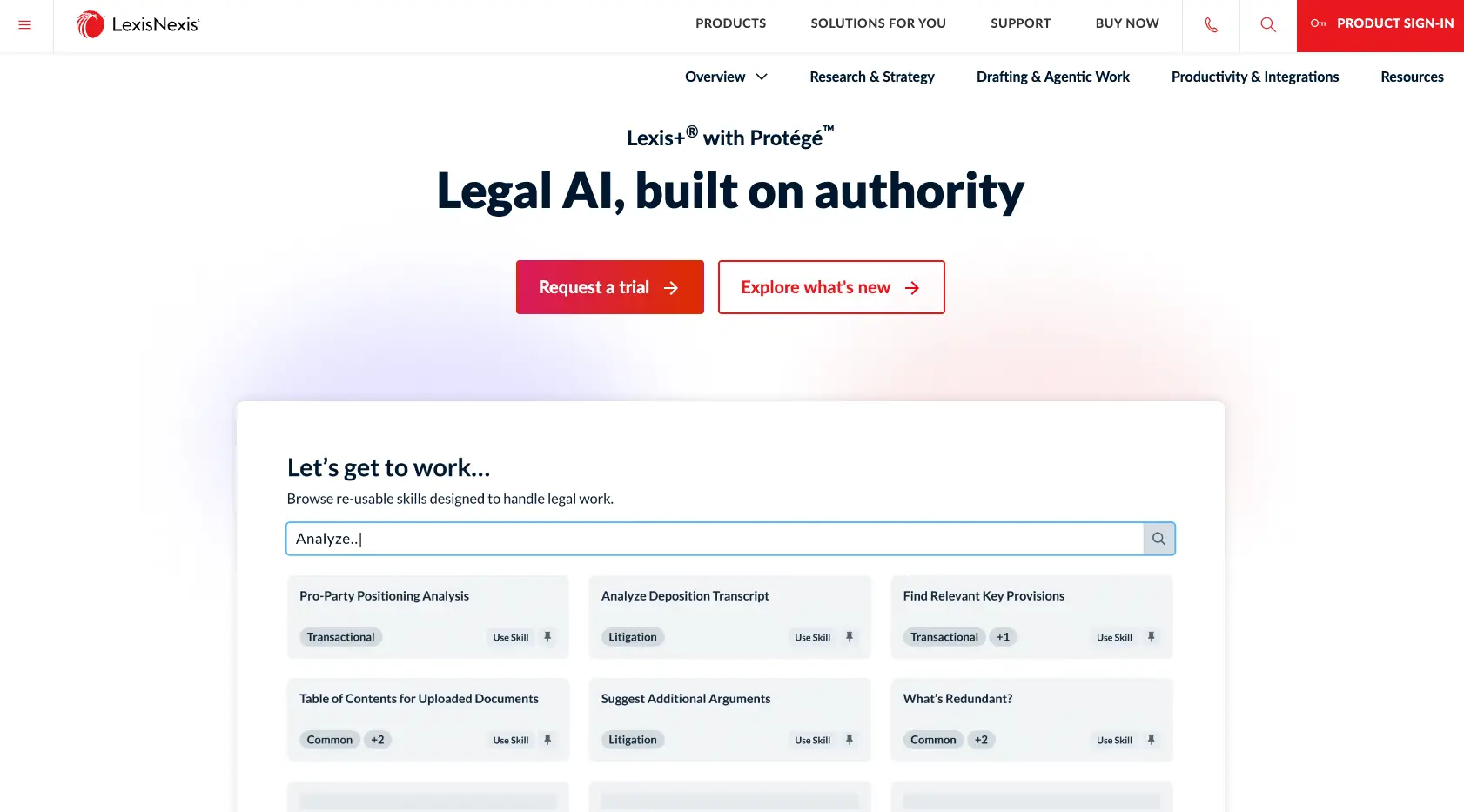
Formerly Lexis+ AI, Lexis+ with Protégé combines legal research, drafting, and citation validation in one environment. Its skills feature plans and executes multi-step tasks, like contract comparison and due diligence.
We recommend it for in-house teams that prefer LexisNexis content and would like outputs checked against Shepard’s, the industry standard for citation validation. If an answer to a legal question has to hold up in front of a regulator, Lexis+ with Protégé is a good choice. Plus, it works across Microsoft 365.
Features
- Legal research, drafting, and citation validation grounded in LexisNexis content
- Agentic layer for multi-step tasks like document analysis and drafting
- Collaboration across firms, clients, and co-counsel (Workrooms)
Pros
- Verified citations alongside drafting support
- Strong for litigation and research-heavy workflows
Cons
- Less depth on contract-review workflows built around your organization's specific playbooks
Pricing
- Contact LexisNexis for a quote.
5. Spellbook: Best assistant for contract drafting inside Word
Spellbook is an AI contract drafting and review assistant that works directly inside Microsoft Word. It flags redlines and missing clauses and helps you draft from precedent. We especially like its benchmarking feature, which helps you compare a contract to standard terms.
Every answer in its assistant comes with citations where necessary. It comes with 12 built-in playbooks for drafting and review. That helps lean in-house departments handle more contract volume and rely less on outside counsel.
Features
- Clause-level drafting and redlining inside Microsoft Word
- Market benchmarking against standard terms
- Custom playbooks for your standards
Pros
- Focused, strong support for contract drafting and negotiation in Word
- Fits transactional teams that already live in Word
Cons
- Narrower than a full platform, with limited matter management or team-wide knowledge
Pricing
- Contact Spellbook for a quote.
Put an always-on legal teammate inside your contracts. Book a demo to see LegalOn Assistant in action.
Benefits of using AI for legal assistance
A legal AI assistant benefits in-house teams by quickening turnaround times, increasing capacity with zero added headcount, improving team-wide consistency, and reducing outside counsel spend.
Faster turnaround on routine work
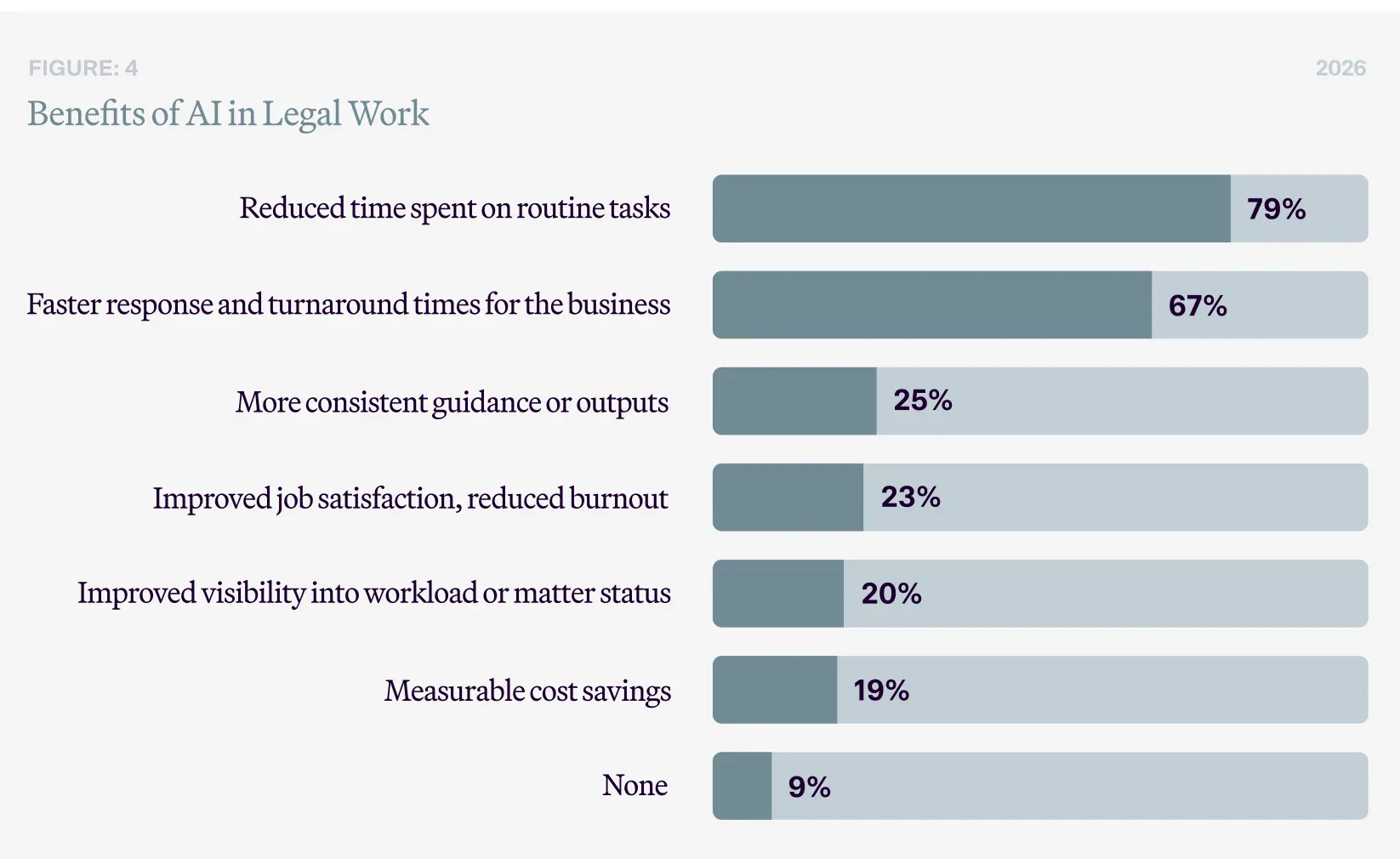
In LegalOn’s 2026 State of AI survey, 79% of in-house respondents reported spending less time on routine legal tasks after adopting AI, and 67% reported faster turnaround overall. Work that used to wait days for an available lawyer, such as a standard NDA or a business team’s contract question, gets answered the same day.
What it looks like in practice:
- A first-pass review that took an afternoon takes minutes, leaving the lawyer to approve redlines rather than start from scratch.
- Business stakeholders get an answer while the deal is still live, instead of waiting in a long queue.
More capacity without more headcount
A legal AI assistant lets a lean team absorb rising contract volume without hiring more lawyers. In 2026, 87% of general counsel use generative AI within their teams, up from 44% a year earlier, largely because the work has outpaced the people available to do it.
What it looks like in practice:
- One lawyer covers far more contracts by letting the assistant do the manual first pass.
- The assistant handles routine questions from procurement and sales, or helps a lawyer draft a quick reply without hunting for the answer across a repository of documents and contracts.
Consistency across the team
A good assistant uses institutional knowledge and playbooks to reflect the same standards in every redline, flag, and generated answer, whether it's prompted by a senior lawyer or a new hire. That turns institutional knowledge that usually lives in a few people’s heads into something the whole team can rely on.
What it looks like in practice:
- Two lawyers can phrase the same question differently and still get an answer grounded in the same playbooks.
- Preferred positions and fallback language stay current in one place instead of scattered across old templates.
Reduced reliance on outside counsel
Bringing routine drafting, review, and research in-house trims the spend that would otherwise go to a firm. According to the Association of Corporate Counsel and Everlaw, 64% of in-house teams expect generative AI to reduce their dependence on outside counsel, keeping lower-risk work, and its cost, inside the department.
What it looks like in practice:
- First-pass redlines and standard agreements get handled internally instead of being sent out.
- Outside counsel gets reserved for the genuinely high-stakes, specialized matters where the work merits the spend.
The benefits only materialize when the tool is actually built for legal work. A general chatbot can produce fast output, but speed without attorney-vetted standards and traceable reasoning only intensifies the risks of AI use in legal work.
Risks of using AI for legal assistance
Using a legal AI assistant can be risky when the tool isn't built for legal work, or its output goes unchecked. Hallucinated citations, privacy and ethics concerns, biases, and unreliable outputs can outweigh the benefits if not mitigated. Here’s how to deal with each:
Hallucinated law and fabricated citations
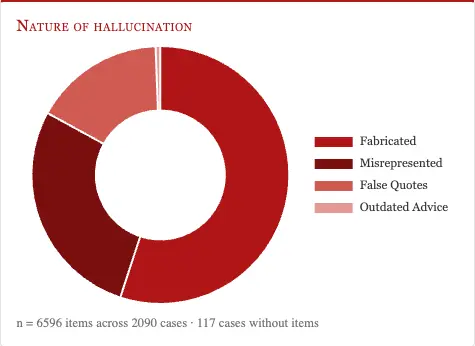
General-purpose models can invent cases and fabricate quotes, hallucinating on 69 to 88% of specific legal queries, according to the Stanford Institute for Human-Centered AI. Court cases involving AI-fabricated citations passed 1,600 worldwide by mid-2026, up from roughly 200 a year earlier.
How to mitigate it:
- Choose a purpose-built legal AI that grounds answers in verified sources and checks citations, which cuts hallucination rates.
- Verify every citation and quote independently before filing anything.
- Keep an attorney reviewing every output in high-stakes matters.
Confidentiality and privilege exposure
According to the 2026 Wolters Kluwer Future Ready Lawyer Survey, 39% of legal professionals are concerned about AI and data privacy, and the Association of Corporate Counsel found that 92% of in-house teams feel some degree of concern about AI disclosing privileged information.
This concern has fair cause: some consumer AI tools use user inputs to train their models by default, and feeding client or deal information into one of them can expose privileged material.
How to mitigate it:
- Require SOC 2 Type II certification, GDPR and CCPA compliance, and a written policy that your data is never used to train the model. LegalOn’s trust center is one example of such a disclosure.
- Give your team one approved tool, so sensitive work doesn't leak into unsanctioned "shadow AI."
- Confirm where data is stored and what the subprocessors are before anyone uploads sensitive material.
→ Related Article: What is a Confidentiality Clause?
Overreliance on AI automation
In 2024, the American Bar Association published a formal opinion on ethical AI use, which offers good-to-follow guidance for all lawyers. Under ABA Formal Opinion 512 (July 29, 2024), attorneys must independently review AI output and remain accountable for every submission, whether a human or a model drafted it.
Overreliance is a real risk, especially because AI outputs can read so confidently.
How to mitigate it:
- Train the team to treat AI output as a first draft rather than a final answer.
- Favor tools that show their reasoning and sources, so your review is fast and grounded.
Ethical and regulatory exposure
To use AI ethically, you must protect client confidence, verify its output before relying on it, supervise staff who use it, and bill clients honestly for the time it actually saves.
Using AI doesn’t create new ethical duties for lawyers, but it intensifies the ones they already have.
How to mitigate it:
- Learn the specific tool’s capabilities and limits before using it on client work.
- Follow your jurisdiction’s guidance and any court standing orders on AI disclosure.
- Supervise how non-lawyers on the team use AI.
Inconsistent, hard-to-audit output
Whether you’re using a general tool or legal AI software, outputs can vary, especially when team members prompt the model differently. That can make consistent redlining across a team, for example, hard to guarantee.
How to mitigate it:
- Use a tool grounded in attorney-built playbooks that applies the same standard to every reviewer.
- Insist on explainability, so each suggestion points to the standard behind it.
- Spot-check output against your own standards, and keep those standards in the tool for maximum consistency.
To reduce the risks associated with generative AI, use a legal AI assistant built by attorneys and grounded in verified standards, and always have an attorney give the final call.
FAQs about AI legal assistants
What is the best AI legal assistant software?
LegalOn Assistant is the best legal AI assistant for in-house teams. It answers contract questions grounded in attorney-vetted playbooks across 135+ contract types, and works inside Word from Day 1.
Overall, the "best" tool depends on the type of work you handle in your day-to-day. Harvey fits teams working with outside counsel, while CoCounsel and Lexis+ with Protégé suit research- and litigation-heavy teams.
Which AI legal assistant platforms handle contract redlining for small legal teams without attorney oversight?
Most AI legal assistant platforms, including LegalOn, autonomously handle first-pass contract redlining for legal teams. But every tool is built to keep an attorney in the loop; each output remains open for line-by-line review and approval.
For a small team, the primary benefit of an AI assistant is diminishing time spent on manual first passes, so that one lawyer can cover far more contracts. No redline should ever go on the final copy without attorney oversight.
Which AI legal assistant outputs still require attorney review before filing in high-stakes matters?
Every AI legal assistant output requires attorney review before filing, including briefs, executed agreements, and anything submitted to a regulator or court.
Court cases involving AI-fabricated citations passed 1,600 worldwide by mid-2026. Legal AI assistants reduce that risk by showing its reasoning and resources, but the final sign-off stays with the lawyer.
Can ChatGPT or Claude replace a purpose-built legal AI assistant?
No, ChatGPT and Claude generally can’t replace a legal AI assistant. They’re a good first step toward automation, but most teams would benefit from adopting a legal AI tool.
With careful prompting, ChatGPT and Claude can summarize a clause or explain a concept, and Claude now offers Claude for Legal with premade legal plugins.
These tools still don’t know your playbooks or risk thresholds, and they won’t learn them over time. Keeping them accurate by updating a markdown file or editing project instructions can take just as much time as manual review.
How much time can an AI legal assistant save?
A legal AI assistant inarguably saves time in a legal workday, but how much depends on the task. In LegalOn's 2026 State of AI survey, 79% of in-house respondents reported spending less time on routine legal tasks after adopting AI.
With an AI legal assistant, you can speed up first-pass contract review, summarization, obligation extraction, contract Q&A, and clause drafting by 50% to 85%. Tasks that took hours could take minutes, only requiring final attorney approval.
What's the difference between a legal AI assistant and AI contract review software?
With a legal AI assistant, you ask about a clause, request a summary, or draft fallback language in a conversational interface, similar to popular tools such as ChatGPT. AI contract review software runs a full agreement against your playbook (say, a third-party NDA against your NDA playbook) and returns a ranked list of risks and redlines in Microsoft Word or in the platform. Most teams use both legal AI assistants and AI contract review.
Is a legal AI assistant safe to use with confidential or privileged material?
Yes, legal AI assistants are safe to use with confidential material, as long as the provider follows specific security protocols. Before you buy, confirm SOC 2 Type II certification, GDPR and CCPA compliance, and a written disclosure that your data is never used to train the underlying model.
How long does a legal AI assistant take to get up and running?
A legal AI assistant can be up and running on Day 1; with an assistant like LegalOn, you get attorney-vetted outputs from the moment you log on.
The first time your team opens an assistant, they should be able to ask questions about a contract, draft fallback language, extract key terms, or summarize an agreement for a business stakeholder, with no setup or prompt engineering required.
Some assistants, like Harvey, require an enterprise implementation due to complex technical requirements.
What should I look for when choosing a legal AI assistant?
The three things that matter most when choosing a legal AI assistant are who built it, whether it shows its reasoning and sources, and how it protects your data.
Ask the vendor to name the attorneys who wrote the playbooks. Have them prompt an answer in real time and show the reasoning and sources behind it. Look for a trust center that shows SOC 2 Type II, GDPR and CCPA compliance. If a vendor dodges any of the three, you're likely looking at a legal-sounding chat window on top of a general model.
LegalOn: Your legal AI assistant
LegalOn is the AI legal assistant for busy in-house teams who want to run their entire legal workday on one platform. Ask a question, review a contract, draft a clause, or automate intake, inside the platform or right in Word. Every conversation with LegalOn Assistant draws on the same matters, contracts, playbooks, and standards your team works from every day.
See LegalOn Assistant for yourself. Book a Demo.